


Many apple users putCell phones are hotOnce it's open, the laptop won't be found alive. It's in a hurry to switch back and forth. It's not much, it's not the right band, it's the right set, it's the same thing, it's the right one by one。
It's the most common pit in the band
The vast majority of mobile hotspots are currently on the 5g band by default, but many laptops on the market only support 2. 4g bands. When the frequency doesn't match, the computer doesn't list this hotspot in the internet and internet settings, and you can't find it in the list 10 times。
Andre's cell phone went into the "personal hotspot" set and manually changed the ap frequency to "2. 4 ghz." the iphone user opens the settings-personal hotspot, opens the max compatibility switch, the system automatically drops the hotspot to 2. 4g, and the computer can be searched as soon as it is refreshed。
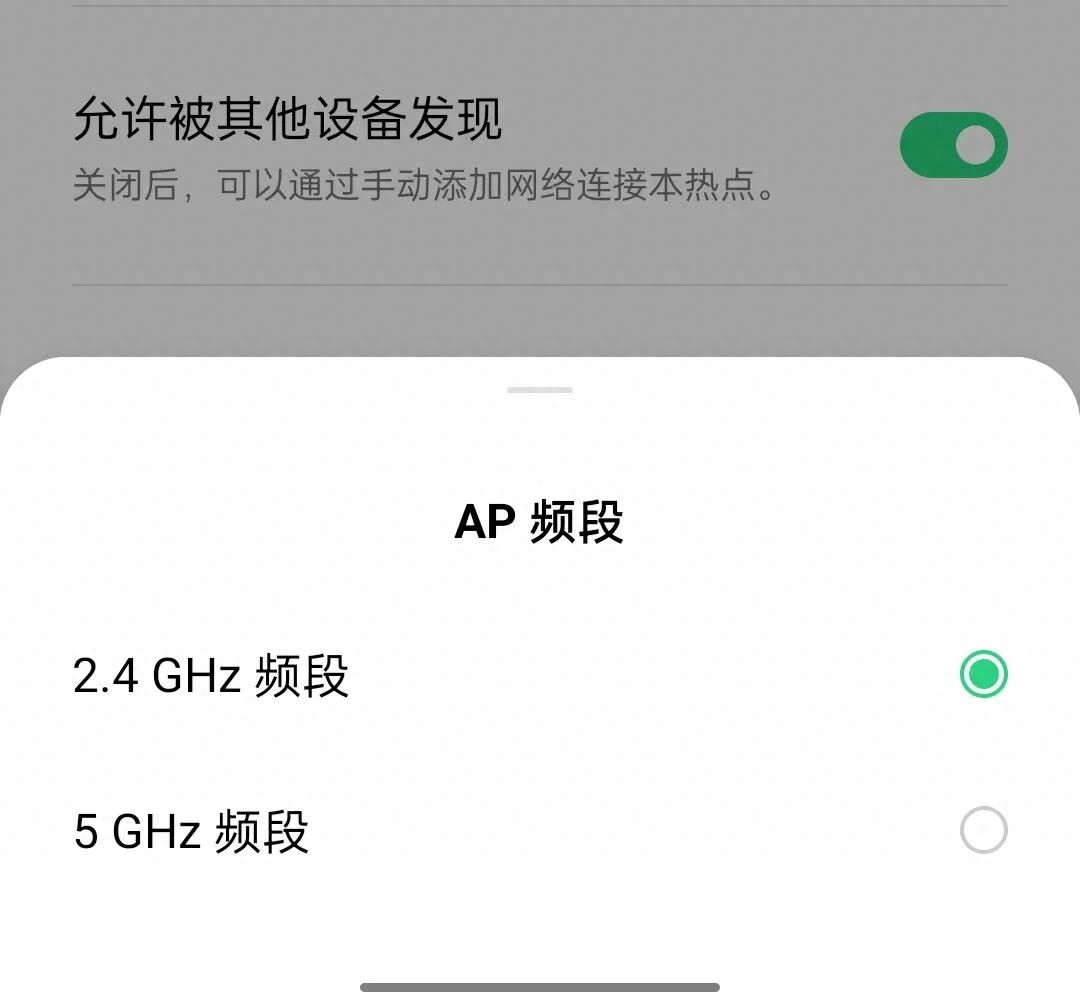
There are a few small details in the hotspot setup
Some of the phones are called "iphone" after the hotspot, and the default "iphone" is added to a random letter number, and they don't look in the eyes of dozens of networks, half a day thinking it didn't work. It is recommended to change the name of the hot spot directly to one of its own, such as the "old-assed web", with at least eight passwords, not to use 12345678。
Note also that one pit: some systems by default allow only one device to connect. Home notebooks and tablets all want to be hung at the same time. They have to go to the hotspot setting to increase the number of devices allowed to connect, or the second device will kick the first one out and bounce back and forth。
Distance and cover are more powerful than you think
The effective coverage radius of the mobile hotspots is about 10 metres, with a distance of two heavy walls or a metal cabinet with a direct signal of 70%. The computer was on the living room couch, the mobile phone was locked in the bedroom drawer, and it was not connected to the web, and it was reconnected without moving。
Microwave ovens, wireless chargers, bluetooth boxes, etc., are the same frequency as mobile hotspots, causing electromagnetic interference. The simplest way is to leave a cell phone and a computer on a table, away from large power appliances, with a half of the problem of cardon and the breakout。
Public wifiIt's more dangerous than your own hotspot
The free wifi at the mall, library, restaurant chain, in large part the open network without any encryption. The cell phone is automatically connected, it goes in silently, every link to your back, every code you lose, and everyone who's technically connected to the network。
The first thing to do in public is turn off wifi. Only hot spots with brand labels, such as "wifi" and "starbucks" -- guest" with names that are particularly random or that jump directly with a bunch of underlineds. If the traffic is enough, there's no need for public networks。
I can't hold a hotphone for a long time
Cellular hotspots are equal to simultaneous launch towers and routers, processors and radio frequency antennas operating at full capacity. It usually lasts five to seven hours, and the fuselage burns the eggs, holding it in the hand is no different from a warm hand, and it's easy to trigger heat protection and turn it off in the summer。
The more practical impact is the acceleration of hardware ageing. Batteries are recharging at high temperatures and discharge cycles over a long period of time, with water shrinking faster than normal users, with two to three years of subsequent direct decomposition. Occasional travels are entirely free of problems, but daily use of a router and the loss of life of a mobile phone is a matter of early and late。
A couple of quick-impact defensive moves
Even before the public wifi, the mobile phone was equipped with a specter-based network security tool that would scan the current hotspot for any encryption or honey cans in real time. Once you lose the bank card number, go to the bank, get a little bit of a missing link, it'll go straight to the frame and warn you that there's more to it。
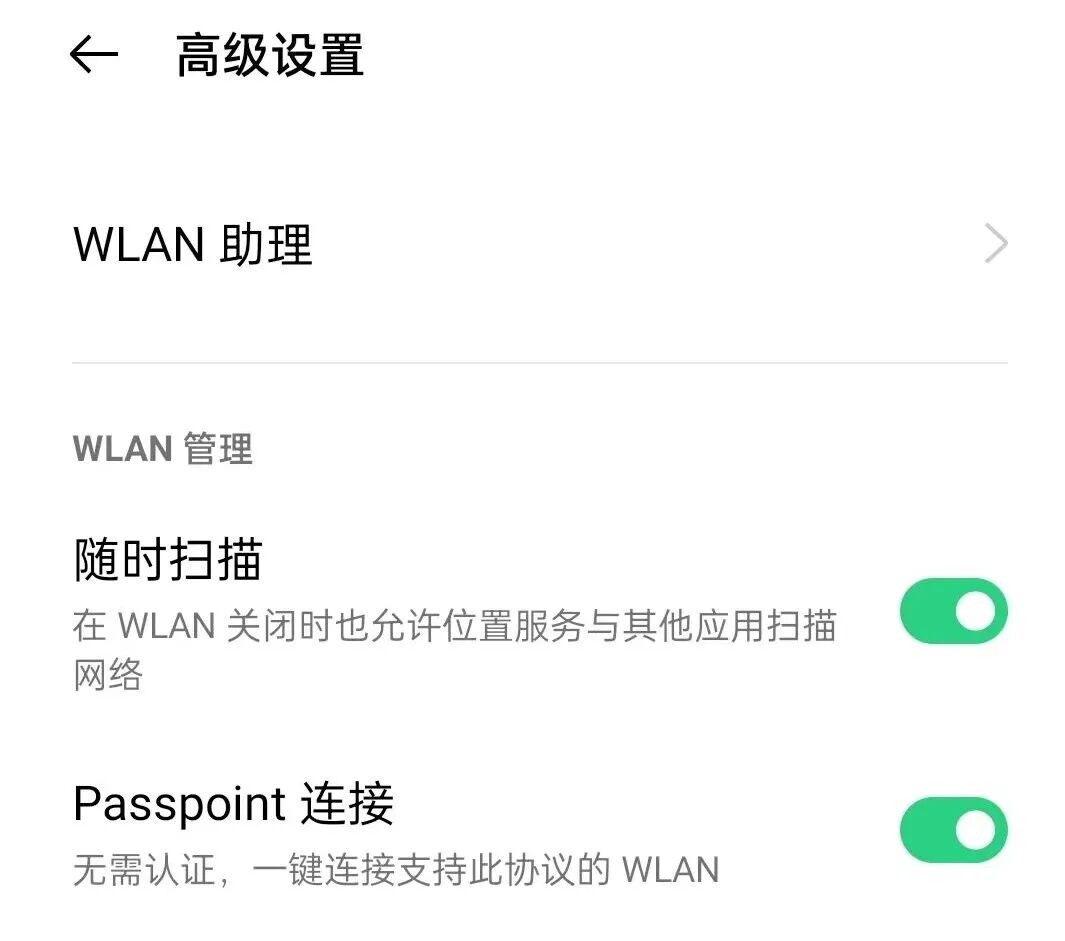
It took one minute to finish the public network: the browser was cached, the automatically filled password was deleted, and all the registered aps were pulled out manually. Don't be a pain in the ass. That's how much privacy is going on. It's worth an extra minute。
The computer won't be able to find the hot spots after you've changed the frequency. The comment section tells me about your cell phone and the computer version. We'll check it out. If you think it's useful, just give it to the friend who's still running out of fire。


