


Some of the friends said that the notebook had been upgraded to win10, that there was no search for wifi and that the other equipment was all right. The solution is actually simple. Let's find out if you can't connect to the wifi solution
How to set up wifi hotspots and wifi hotspots to create detailed instruction cheng
Specifically, it was this win10 laptop that showed a red fork on the bottom right-hand wireless icon, unable to search the wifi wireless network signal and therefore unable to connect to the wifi wireless network, and malfunctions, as shown in the figure。
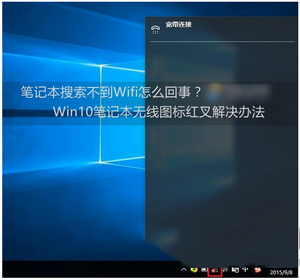
In response to this network problem, a number of internet users have also asked about the fact that most of the wireless services in the win10 system were not activated, and that they had little to do with the network drive or set-up, mostly because of ad hoc system problems or the banning of wireless services。
Win10 doesn't connect to the wifi solution
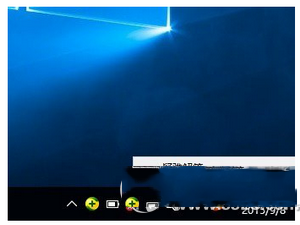
The first step is to start with the right-click on the win10 laptop wireless icon, and in the right-key menu, click into open the network and sharing center, as shown in the figure。
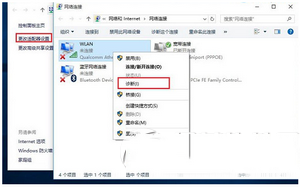
The second step, when the network sharing centre is opened, then click on the change adapter settings on the left side, then enter the network connection settings interface, and then find the wlan wireless network, then right-click on its icon and click " diagnosis " in the popup menu, as illustrated below。
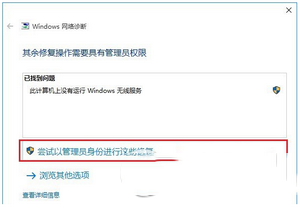
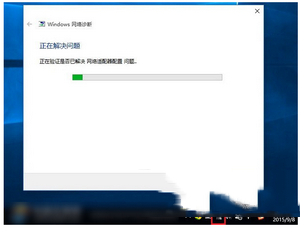
The third step, waiting for the completion of the diagnosis of the windows network, will be followed by a diagnosis suggesting that “the windows wireless service is not functioning on this computer”. Click here to try these repairs as administrators, as illustrated。
Step 4: if there is no accident, the red fork on the wireless icon disappears when the windows wireless service is successfully activated, and when you click on the wireless network icon, you can successfully search and connect to thewifi wireless network。
All right, by here, the win10 notebook has successfully solved the problem of searching for the wifi wireless network。
If this is the case, the problem remains unresolved. Please restart the computer and try again. If this is still not possible, it is recommended to update the card drive or reset the system。


