Now, almost all the smartphones, tablets and..LaptopWireless access is supported. Wi-fi is commonly used to access the internet and can be used to communicate within the limits of the wave cover of the wireless。
When there's no wireless router, we hear people say, "who's got a lot of cell phone trafficWi-fi hotspotI don't know. Wi-fi hotspots are the wi-fi, wi-fi, wi-fi, wi-fi, wi-fi, wi-fi, wi-fi. So how do you set up wi-fi hotspots? The cell phones and laptops are set out below。

Note that cell phones must have a wire ap function to set hot spots. For example, apple phones are set as follows。
Find the settings option in the cell phone menu and click to enter。
Select the cellular mobile network and click on it。
Open both cellular mobile data and enable 4g。
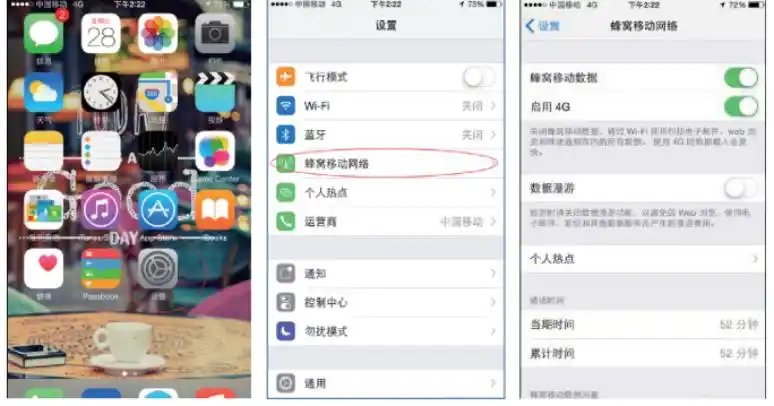
The individual hotspot is then selected and the individual hotspot is opened by clicking on the entry。
Set up the "wi-fi" password。
In order to prevent strangers from “spreading”, while preventing their own information from being leaked, high-security passwords are required. Enter the password and click finish。
Below is an example of the wi-fi hotspot settings using windows 7 laptops。
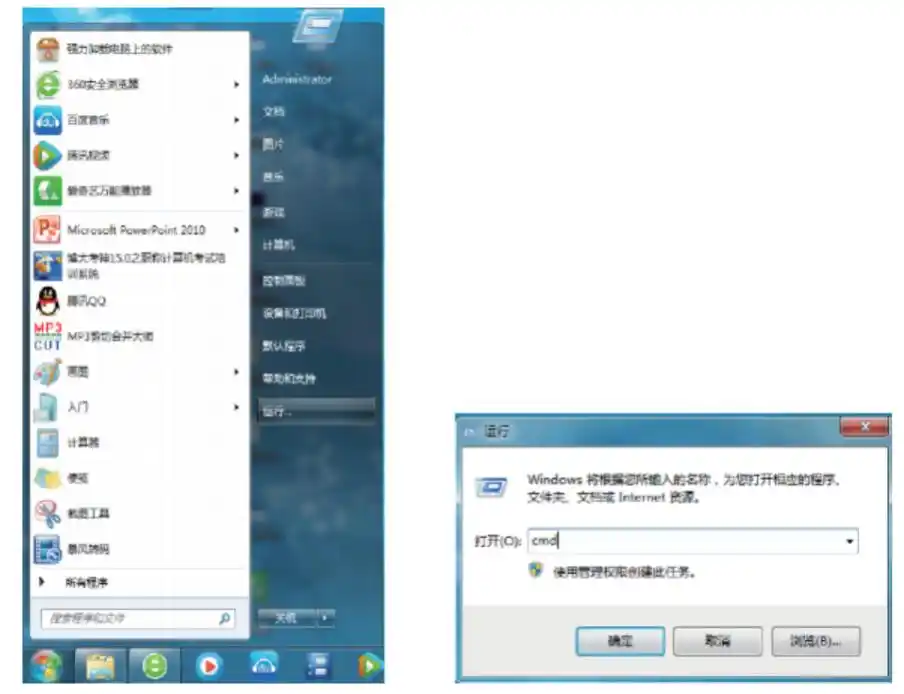
Click the start button to select the run command and open the run dialogue box。
Enter cmd in open in the run dialogue box and click the ok button。
Enter in the open window the following command to enable virtual wireless card: netwlan set hostnetwork mode=allow ssid=(wirewirename)key=(wirewirenet password)。
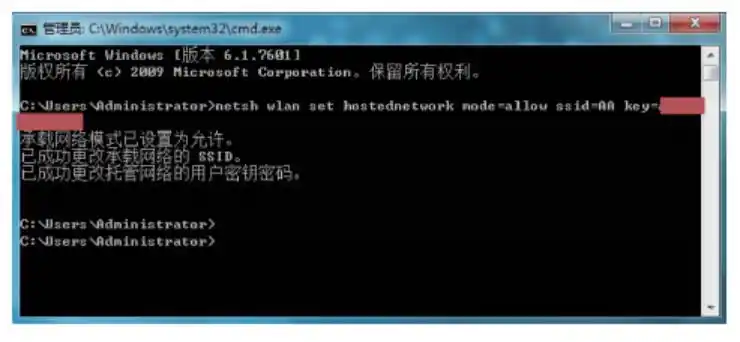
At this point, a "wireless network connection 2" virtual web card can be found in the settings window for "network connectivity"。
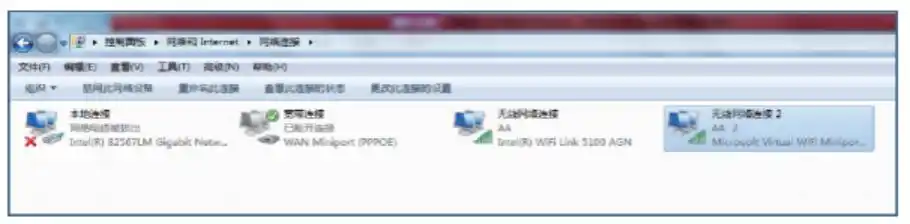
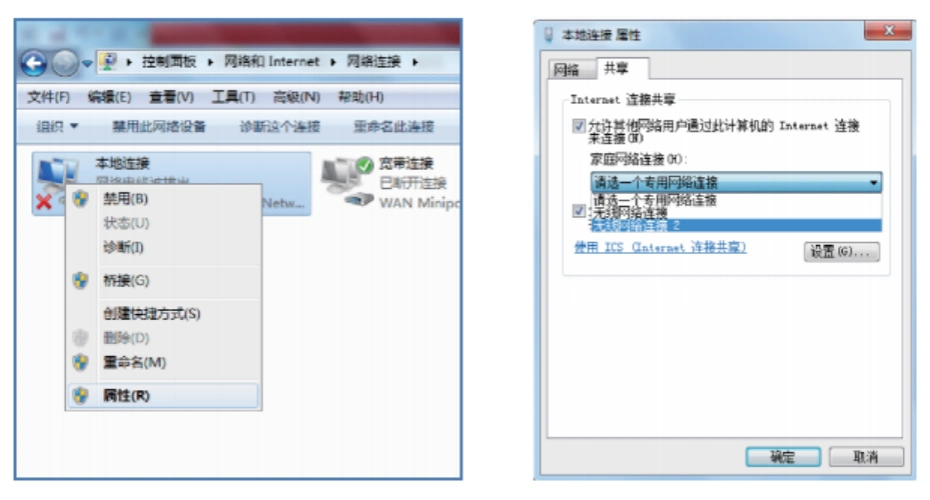
Right-click " local connection " , select " properties " command and open the " local connection properties " dialogue box。
Select the shared tab, tick two of them and select the newly added wireless network connect 2 virtual net card, click the ok button。
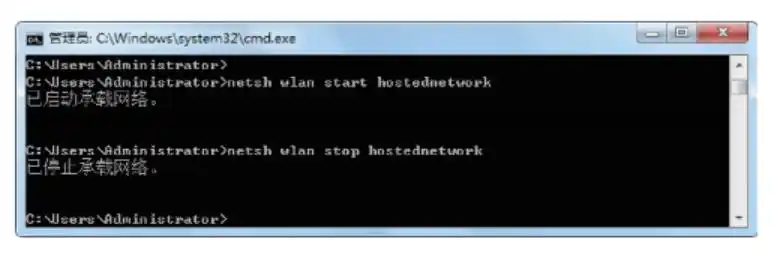
Continue to run the command “netsh wlan start hostnetwork”。
Then you can turn on the wireless network that was set up before. At that point, a nearby mobile phone could be connected to the wireless network。
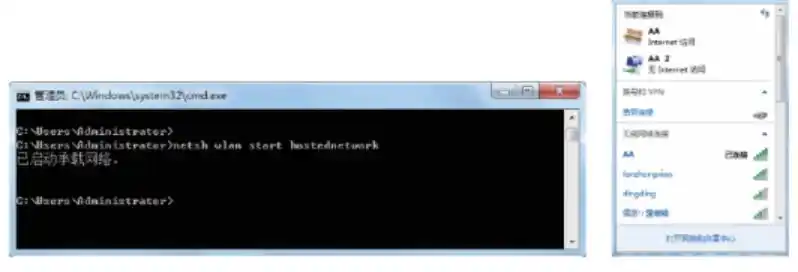
If the wireless network is to be shut down, then the operational command “netsh wlan stop hostnetwork”。