Hi, everybody. I'm a redhead
It is not known whether this scenario is encountered, and household broadband is not yet accessible, but there is a need for temporary access to the internet, which is particularly well-flowed, and there are many other facilities that need to be connected, such as new renovations, short-term temporary accommodation, dormitories, etc。
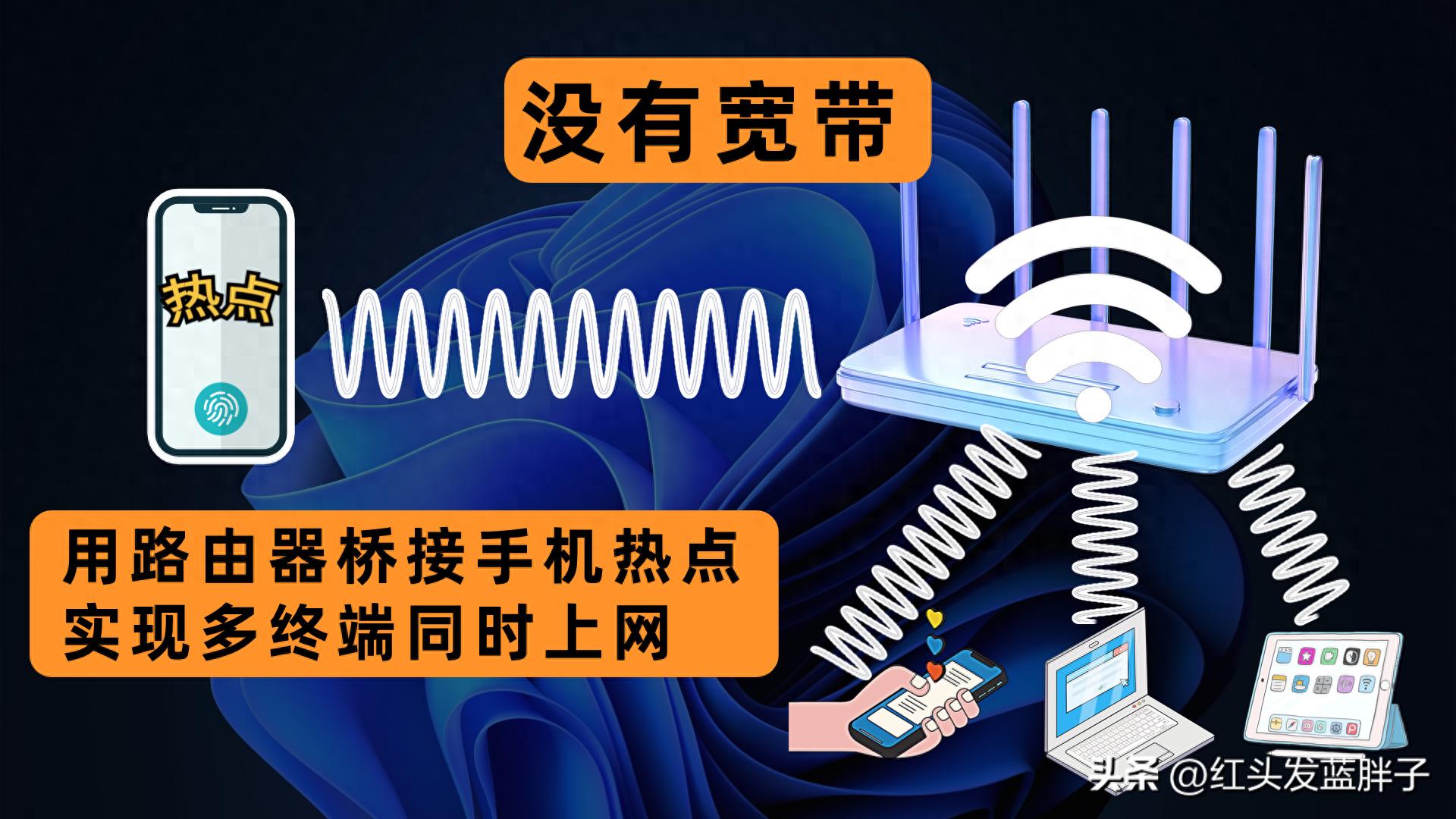
So this article shares one by usingRouter bridgeCell phones are hotAccess to the internet, with multiple devices available without broadband。
One, turn on the hot spot
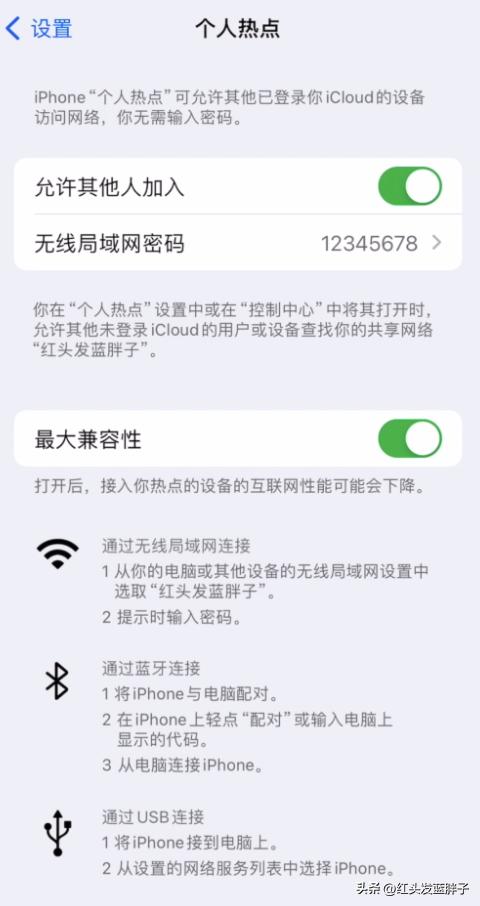
Click on the settings in the iphone first -- personal hotspots -- to open hotspots and allow others to join。
Two, reset the router
Will tp-lInk, reset the router, press the backreet with a long pen
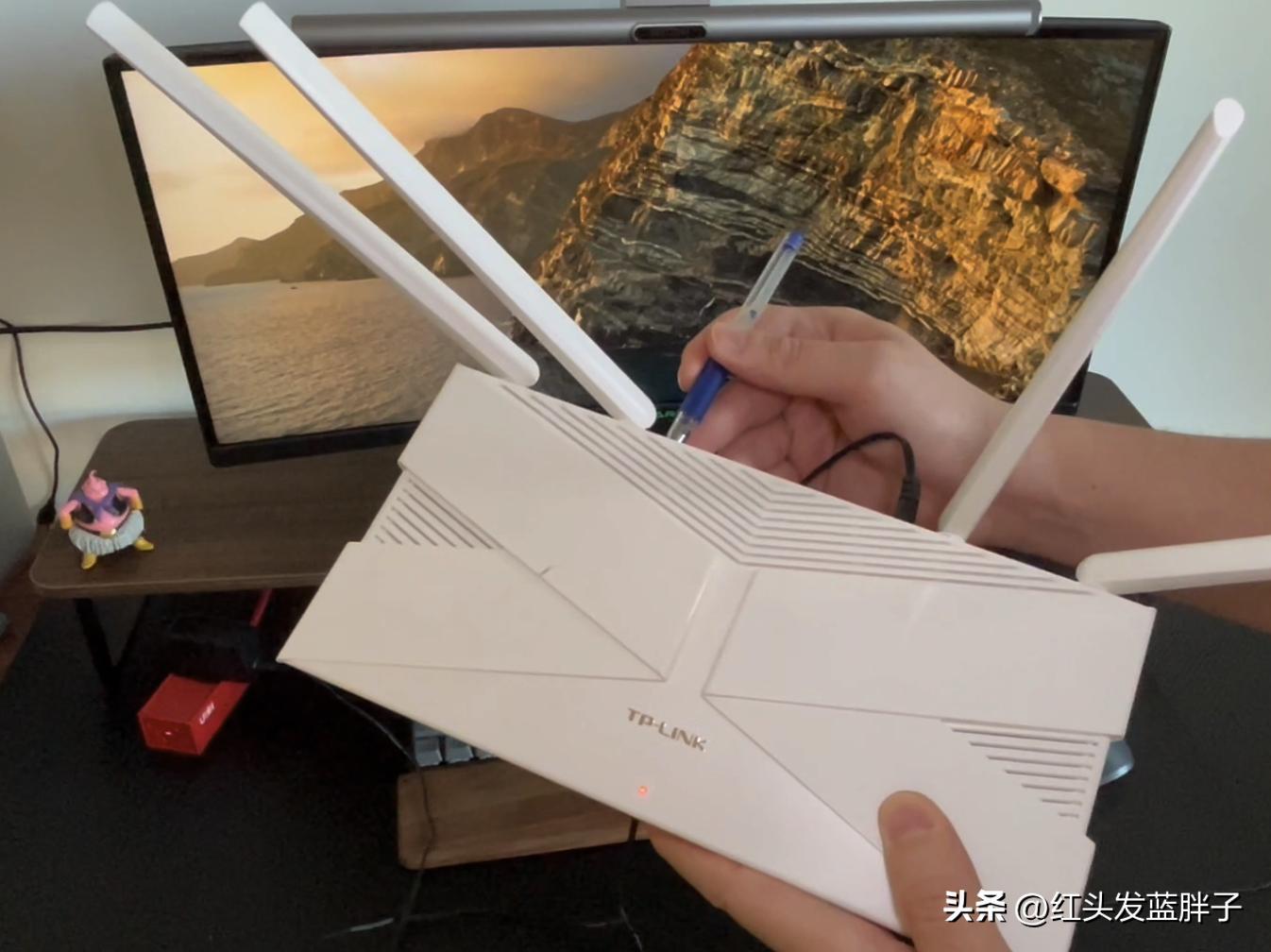
Configure routers with windows pc, of course with a mobile phoneInk initialised wifi name, click connection
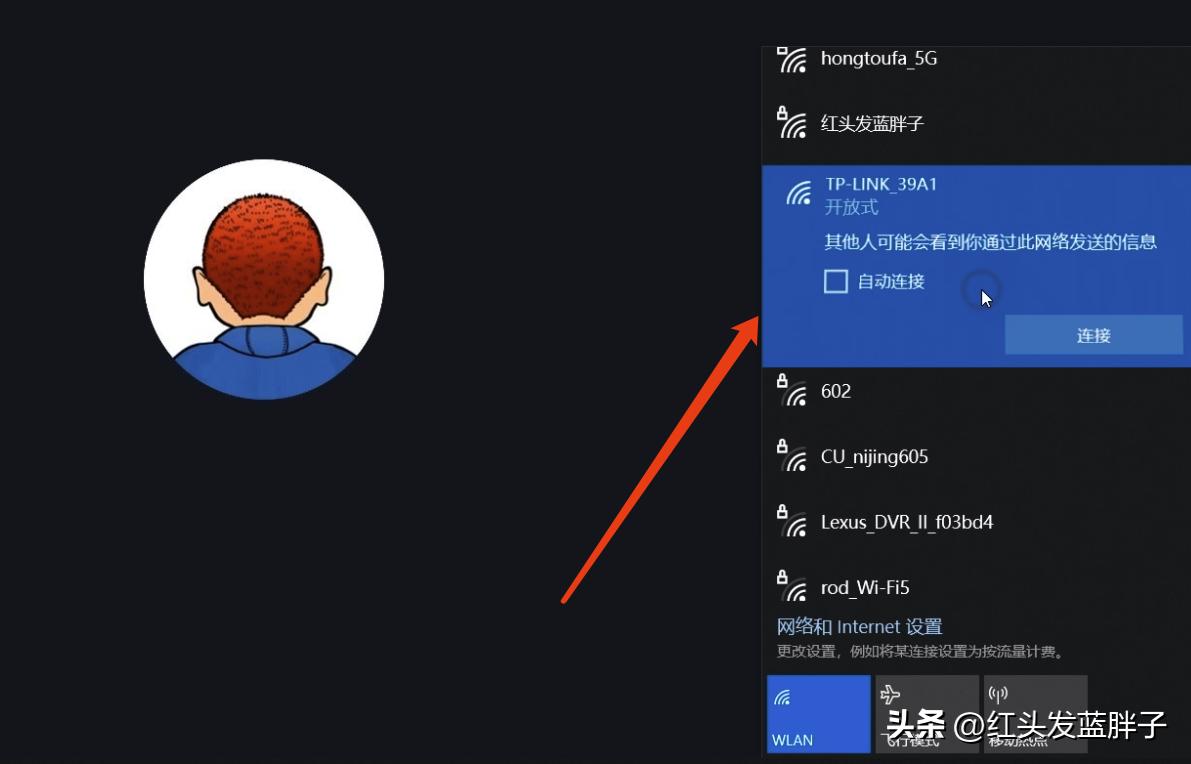
Three. Configure routers
Jump automatically to tp-lConfigure page for the ink router noodles
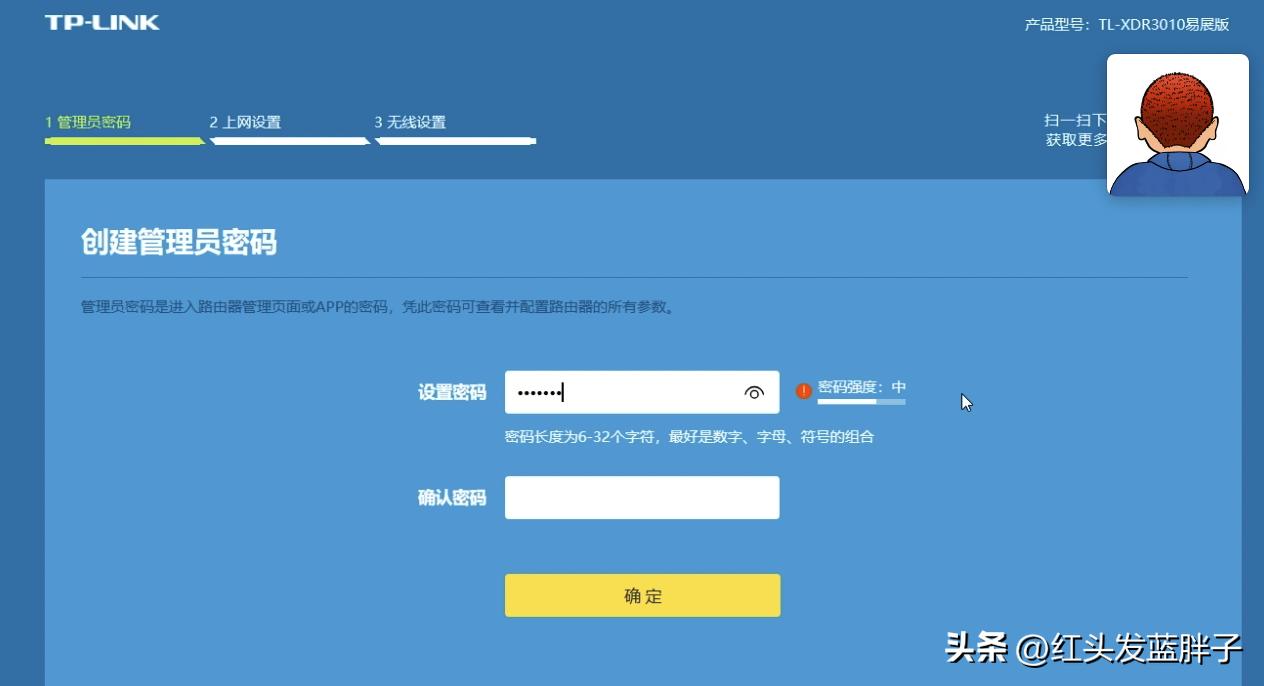
Set the administrator password, then go to the internet settings, and click on the bridge because there's no broadband
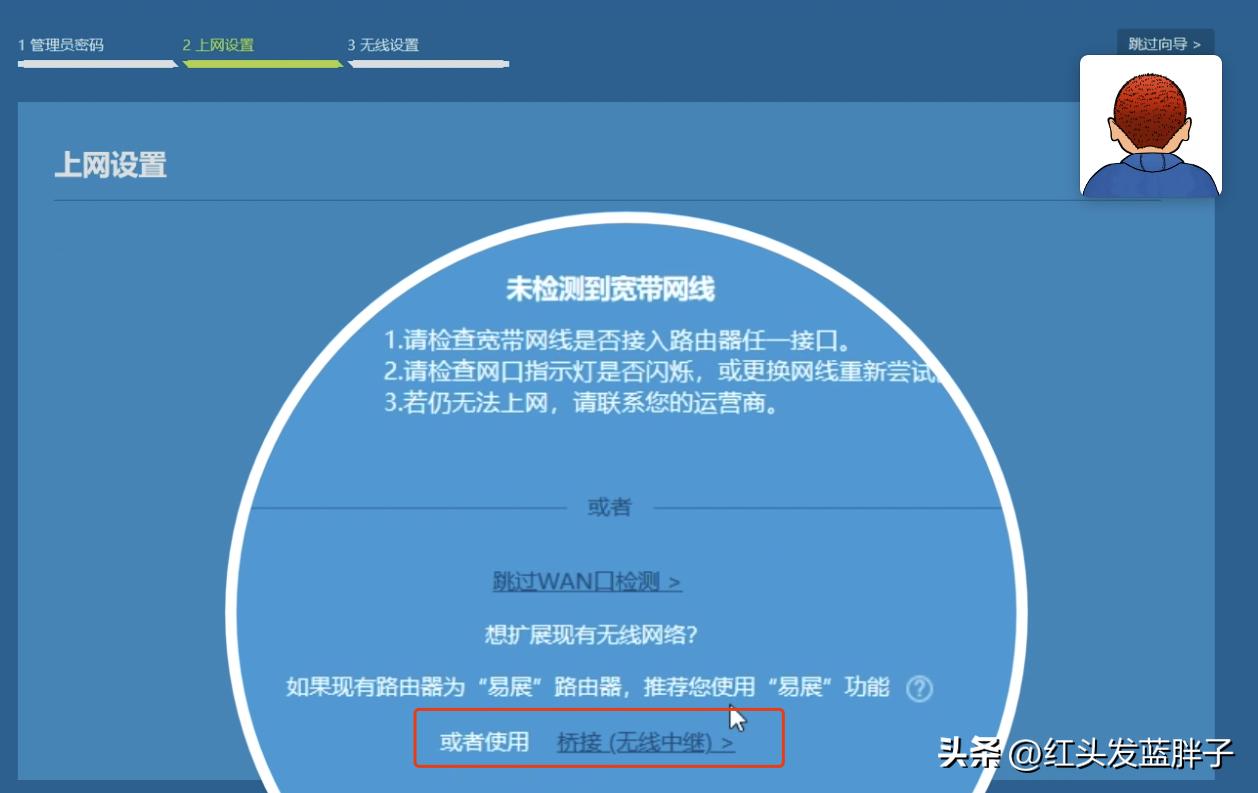
The router scans the nearby wifi, selects the name of the wifi that you want to connect to, and this is where you choose the hot name of iphone, the red-haired blue-fat, yes, you see it right, and iphone's hot spot is the frequency of 2. 4g。
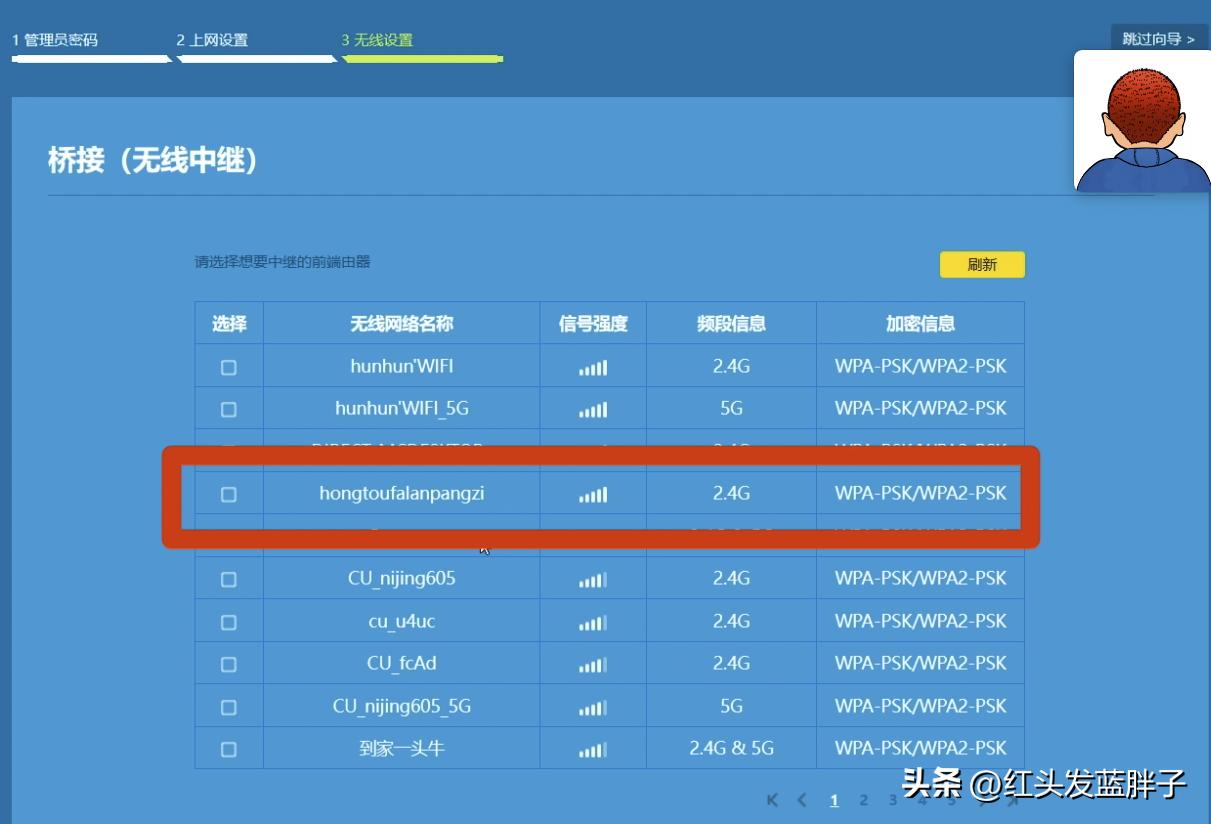
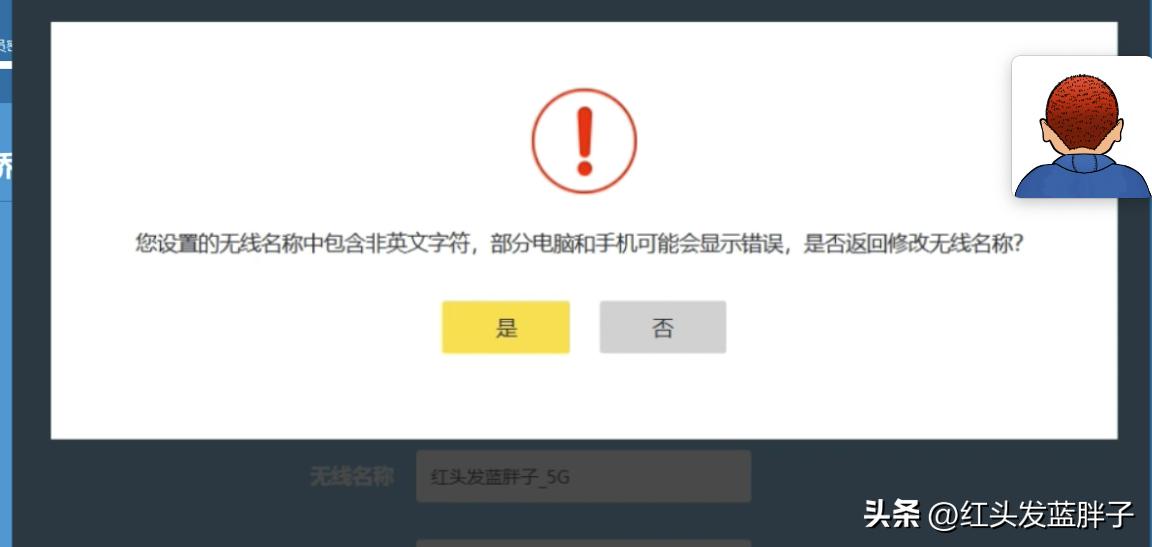
Be careful not to use a chinese hotspot name, and later configuration will be misreported。
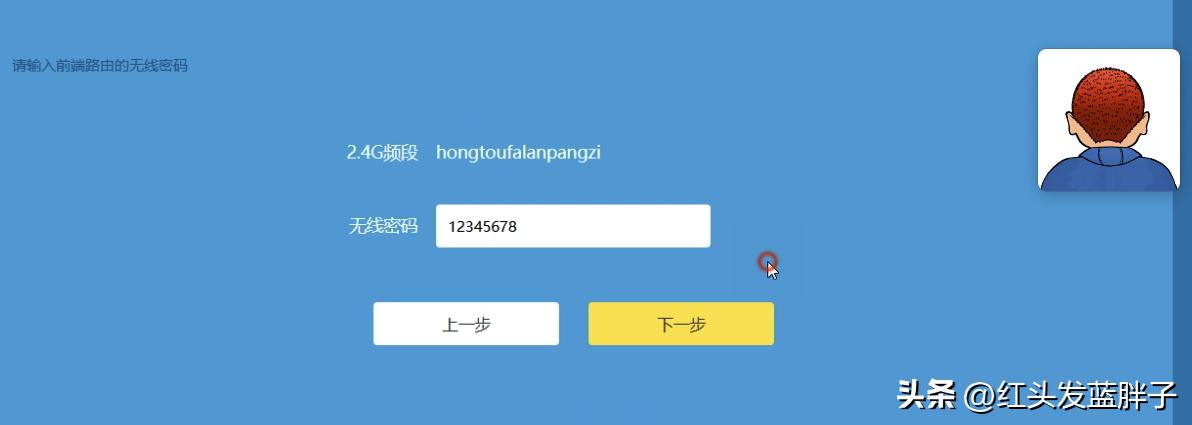
Select the wifi and click next. Enter the wifi password for the iphone hotspot
Click next, tp-l#kink's router is starting to connect to iphone hotspots
In wireless settings, switch off wifi multiple frequency switches. It is suggested that frequency bands be distinguished to better identify connections to 5g or 2. 4g, depending on your usage habits。
, click next, and then click to finish。
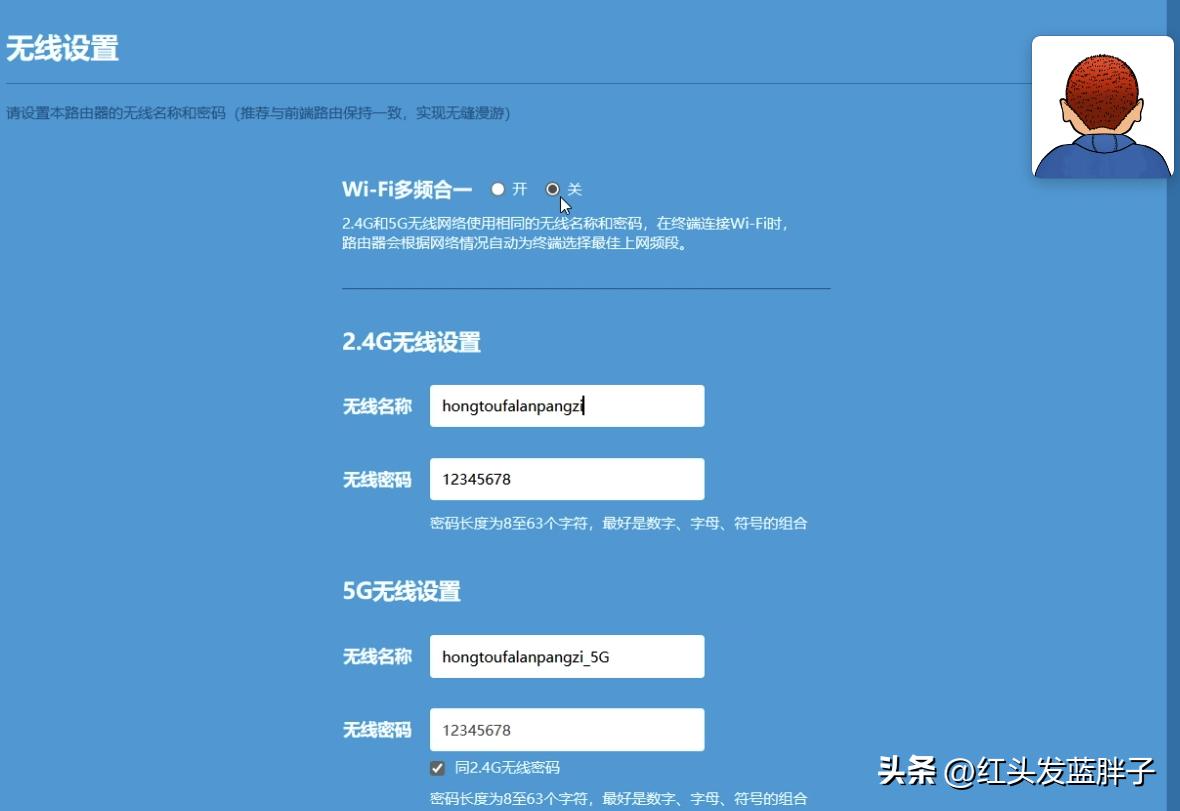
Wireless parameter changes are effective. Click completed。
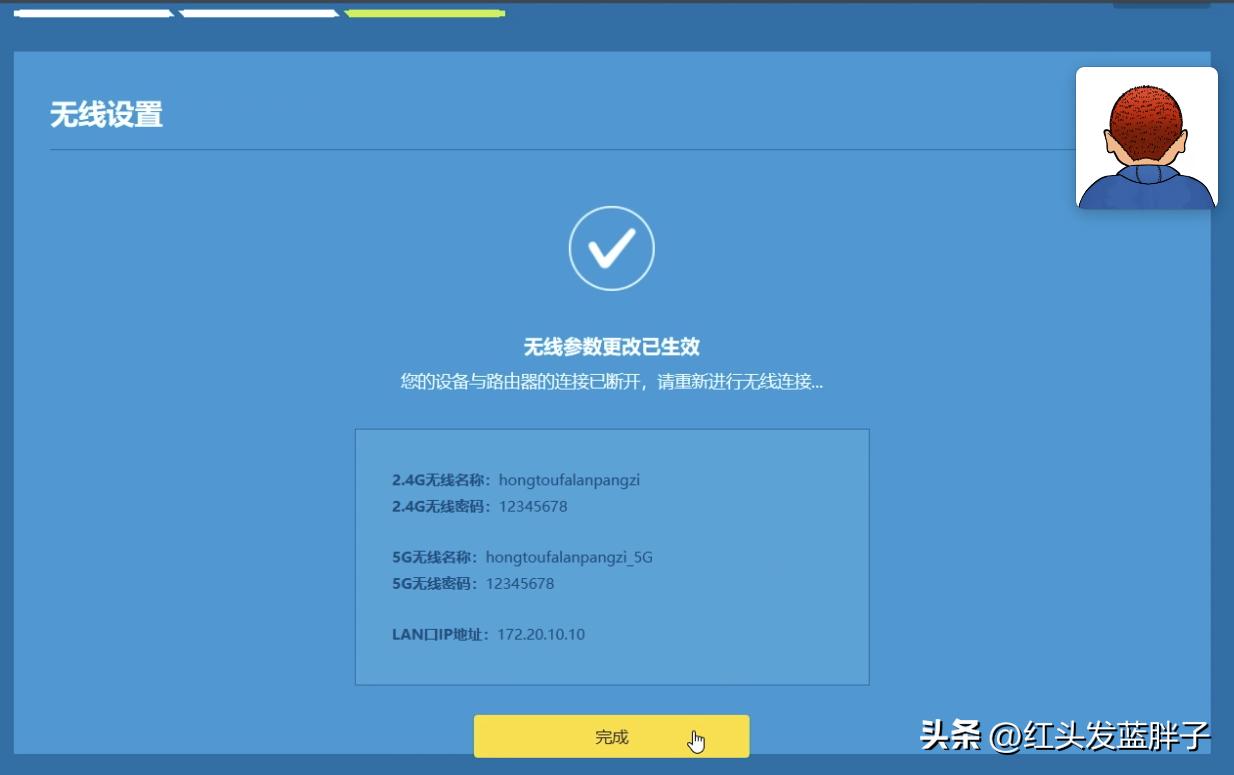
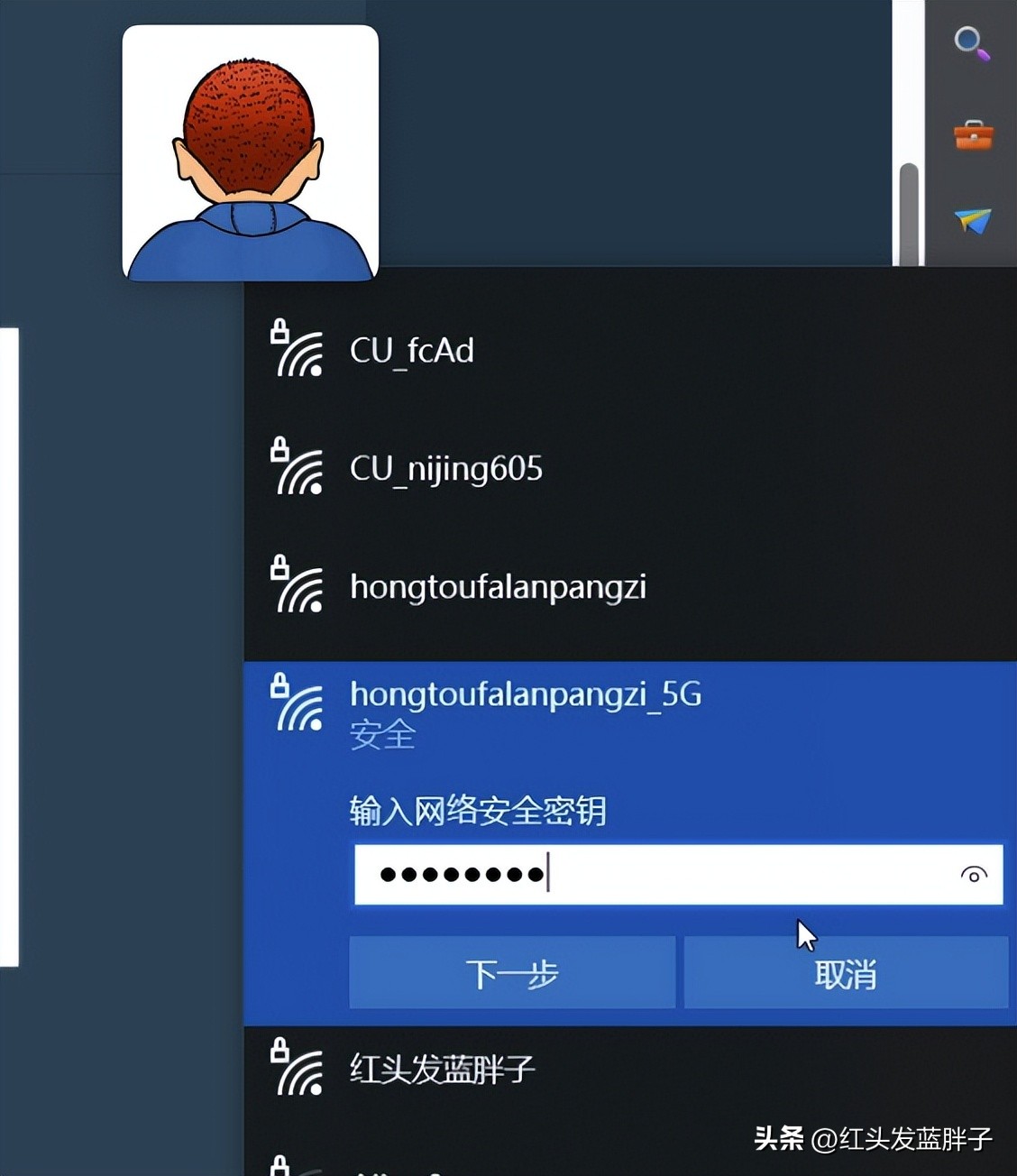
Save the configuration. One moment, we can reconnect the newly configured wifi. Choose, redhead, blue fat 5g, click the chain. Answer
And log in to the router management interface
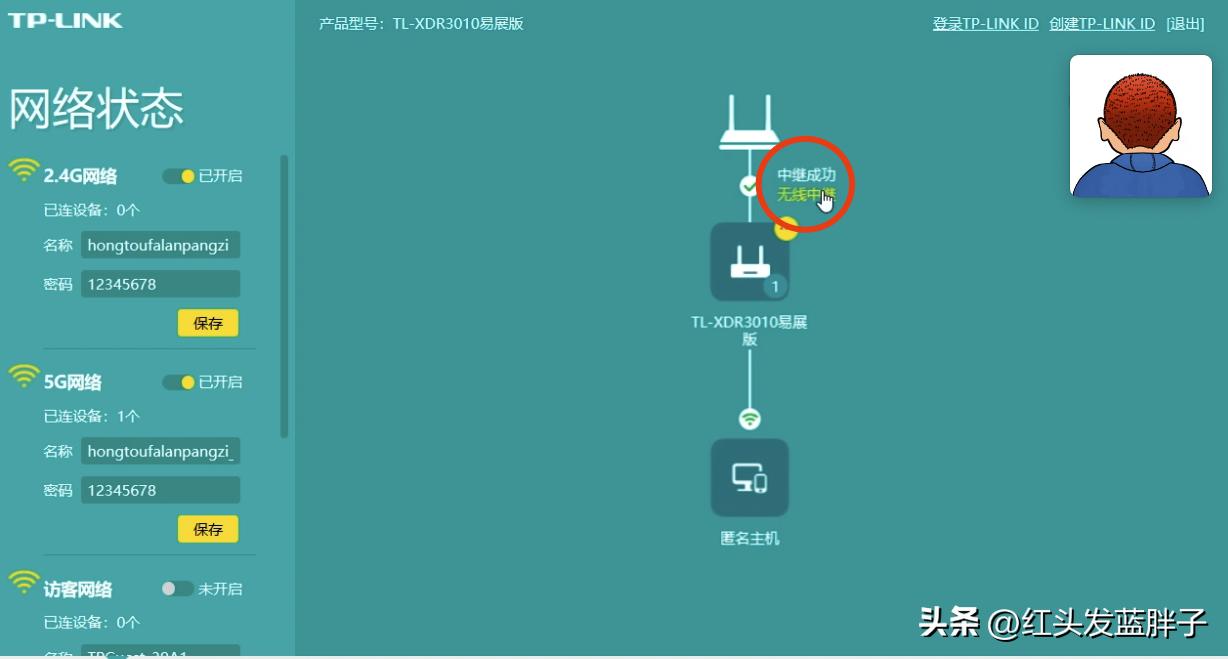
Tpl in network stateThe network connected to ink is a wireless trunking mode, which is successful and allows clicks to see details。
The front router is the iphone hot spot
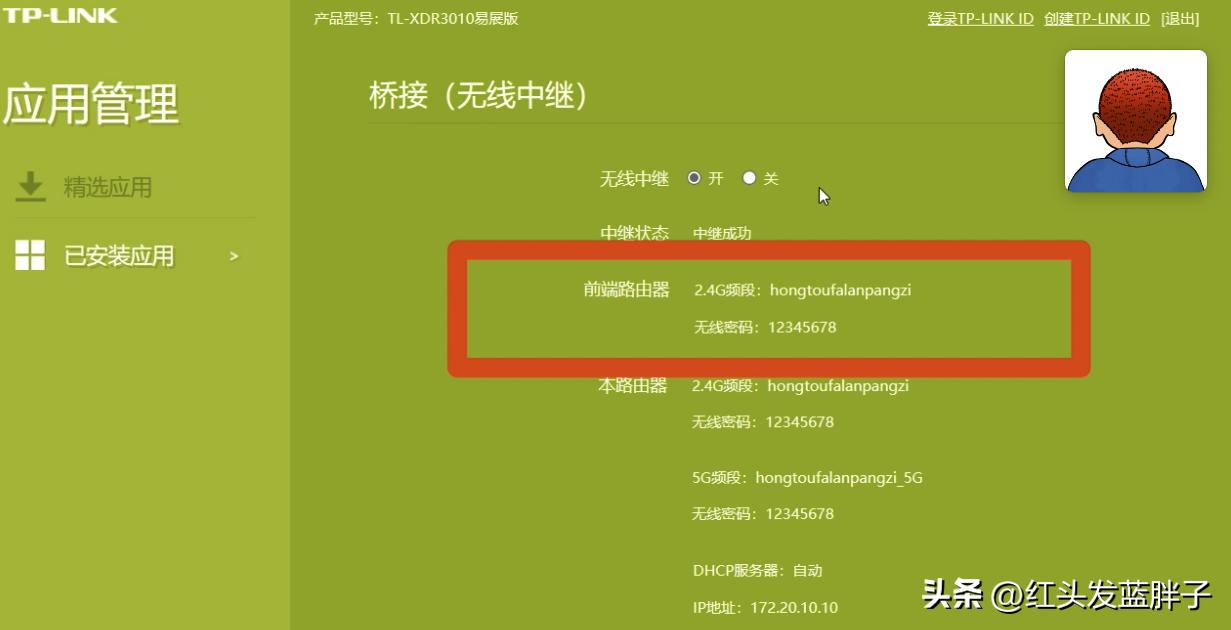
It's not like we're going to be able to do this
And then we'll use the backup phone to access the router's wifi
An anonymous host has been added to the equipment management and other devices can be connected to the router for internet access。
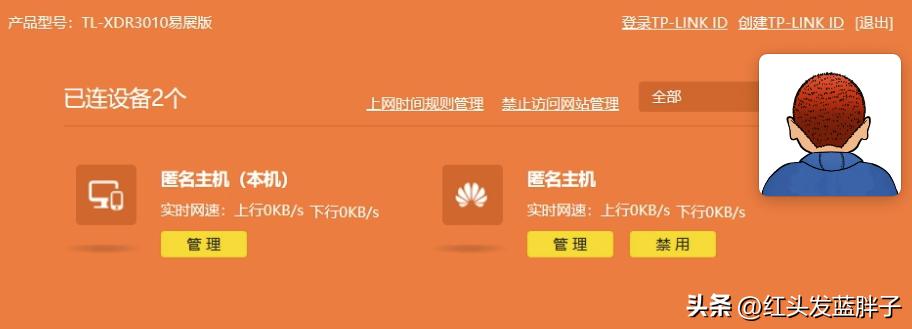
Then we'll test the web access. Everything's fine, no other configuration。
Faq1, no reset router, how to modify configuration
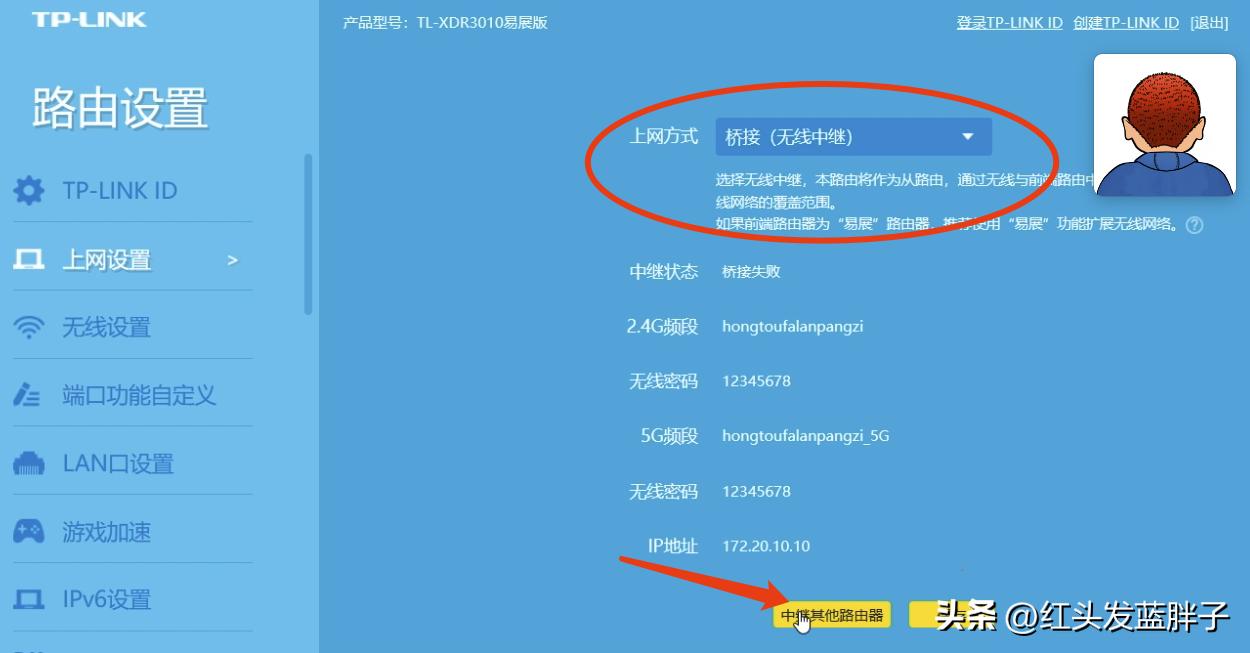
Most home router access is an automatic access to ip, which, without reset, can be adjusted to a bridge (wire-relay) model, click on another router, and then connect to the iphone hotspot. Enter the password, and the rest is the same as before the video。
If it fails, it can be reconnected。
Faq2, can other models be configured like this
This approach can be consulted and the principle is the same, using the wireless bridge of the router, the hot spot of the cell phone and the internet. Additional network terminals are used to connect to routers。