


Steps:
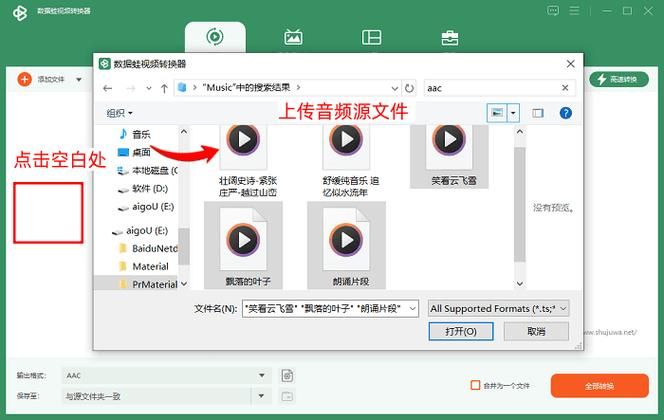
Click on the file or link button to switch local or online files. Click the select file button to select a local file or enter an online file url. The source file can also be in video format. Video and audio files are limited to 200m. You can use a file analyser to get details of the source audio, such as the track name, genre, bitrate and sampling rate。
2. Set target audio formats, bitrates and sampling rates. Target audio formats can be wav, wma, mp3, ogg, aac, au, flac, m4a, mka, aiff, opus or ra。
Start conversion by clicking the " start conversion " button. If the conversion fails, the converter will automatically switch other servers to retry submission. The output file will be listed under conversion results. Click icon to show the file 2d code or save the file to google drive or dropbox。
With regard to:
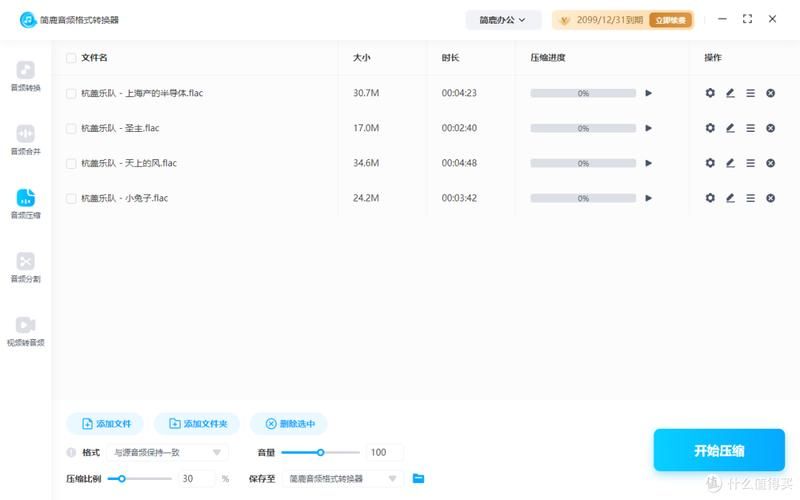
Audio file formats are file formats used to store digital audio data on computer systems. The process consists of sampling and quantification. As a standard for digital music file formats, the wav format is too large to be used easily. So normally we compress it to mp3 or aac. Compression methods are non-destructive, impaired and condensed。
The audio on-line converter supports various types of conversion, including ogg to mp3, opus to mp3, wav to mp3, mp4 to mp3, m4a to mp3, mp3 to aac, etc。









