


Why is this the best
Router default " double frequency one " , cell phone or computer company 2. 4g band (up to approximately 100 mbps bandwidth)
5g velocity is 10 times the 2. 4g band (up to 1000 mbps+) with low interference and delay
After closing the double frequency, close to 5g, we'll take off directly
One, get ready for work
1. Wifi to his home via mobile phone (closure of traffic connection)
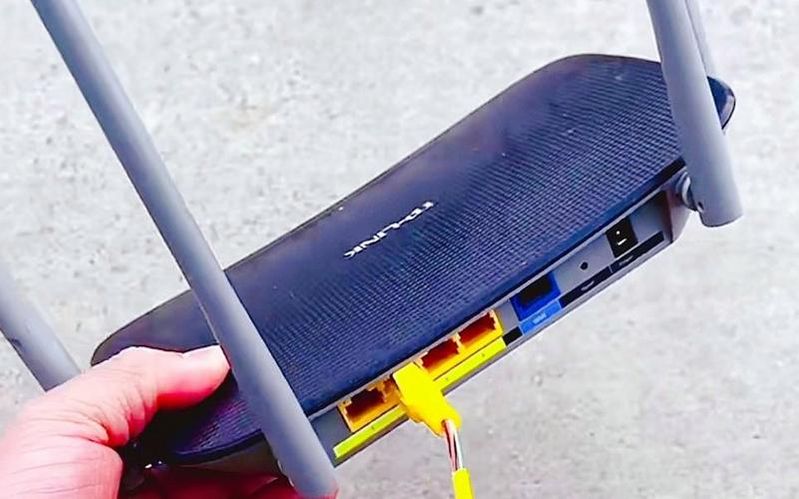
2. Read the router bottom sticker, write down: the router management address: common 192. 168. 2. 1 or 192. 168. 0. 1 or
Account number/code (admin/admin) or management account code on the back, which can be restored if you forget
Two, close the double frequency for one minute
1. Mobile browser input management address, login router station
2. Find the wif setup to close the double frequency one and the double frequency one
3. Name settings: xx-2. 4g xx-5g password unchanged
4. Save, router automatically restart
Three, contrast speed
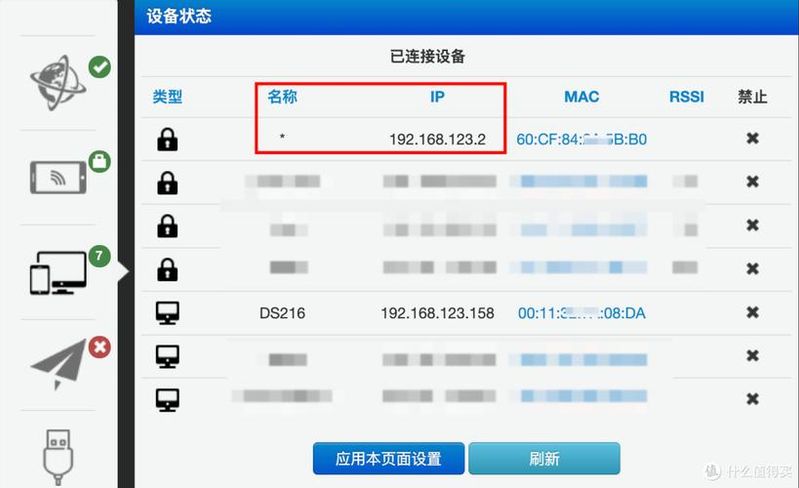
The speed of close proximity is about 100 mbps
Close to a chain of 5g: close range speeds up to 900mbps-1,000mbps+, lower delay
Four, extra speed (optional)
2. 4g channel: manual 1/6/11 (non-interference)
5g bandwidth: 80mhz (wifi6 can set 160 mhz)
Location: high in the middle of the living room, away from signal jamming products such as metal appliances
V. Common brand paths
Mi:wifi settings close double frequency one
Tp-lInk: wireless settings ~ basic settings ~ close multi-frequency one
Hua: wifi settings ~ turn off smart connections
Summary









