


Many people are worried that, even with 500 gigabytes of broadband, the wifi icon is full, with short video clips going round at night, handplay delays and low download speeds。
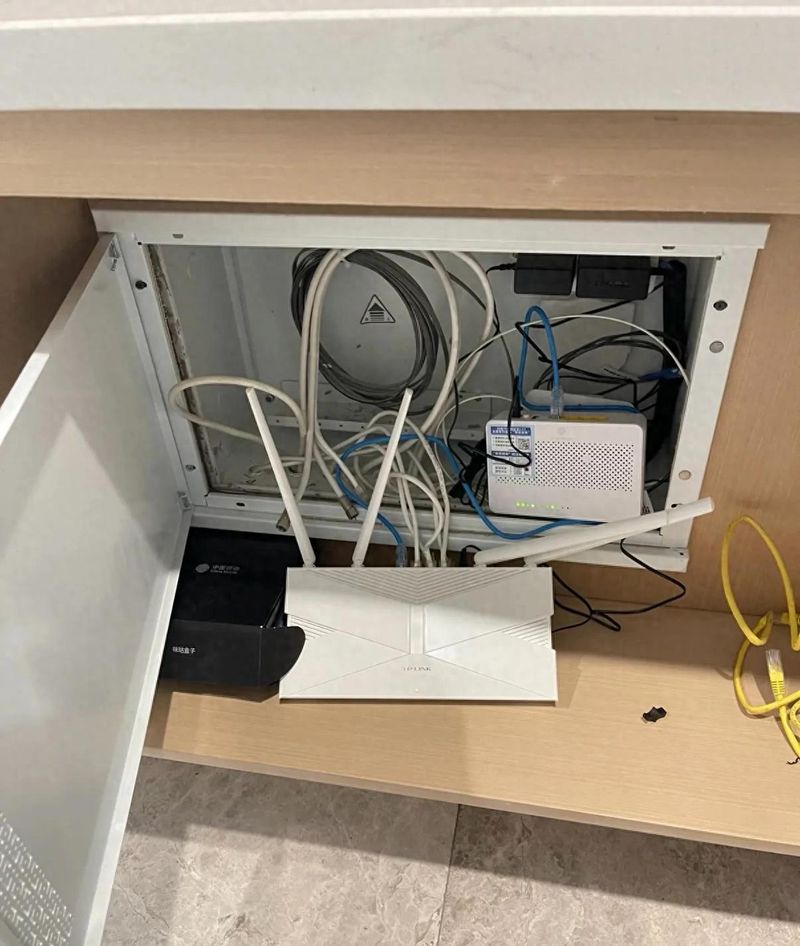
In this case, the first reaction of many was that the operator had “shrunk” and repeatedly asked the maintenance master to come. But masters tend to reboot the cat and check the circuit, and rarely remind you to adjust the router backstage。
There's actually an average user who doesn't know much about it. The default setup for routers when they leave the factory is a “common model” set by the manufacturer to accommodate all types of old equipment. In order to avoid subsequent troubles, installation masters usually do not offer modifications. Today, we don't speak obscurely of professional terms, and hand-held hands teach you to fine-tune a key switch, rationally release router performance, and make home-based internet experience really a step up。
..
Text (spoken and fluency only, core content unchanged)
I. Where are the web-speed bottlenecks? Most of them caused by the twin frequency
Mainstream routers are now largely 2. 4 ghz and 5 ghz. 2. 4 g passes through walls, but with significant and low interference rates; 5g passes through walls at low and high rates, but with weak penetration。
In order to facilitate user-friendliness, the manufacturer defaulted on the "double frequency one" and shared a wifi name for both bands. In practice, however, especially in high-level housing, the automatic router logic is often not smart: you are near the router and may be assigned to the 2. 4g frequency at a slow pace; you enter the bedroom and your mobile phone is slow to open the 5g with weaker signals, causing cardon to delay。
Data from the field show that, when the dual frequency is activated, the late peak is measured at 100-200 mbps; after closure, the close range is connected to 5g bands, which can stabilize at 700-860 mbps and significantly reduce delayed fluctuations. Many of the teachers do not take the initiative because some of the old equipment or intelligent homes may not be connected to the internet after closure, increasing the post-sales workload。
Ii. Why the separation? The principle is simple
The principle is not difficult to understand in conjunction with the ministry of industry and communications's relevant frequency bands and technical files:
1. Reduction of internal consumption: double-frequency integration requires constant detection of the location of equipment by routers and frequent switching, which will take over the processor resources. After separation, router algorithms focus more on data transmission。
2. Avoid congestion: 2. 4g bands have only 1, 6 and 11 independent channels in the country, with serious neighbourhood interference; 5g bands have much more resources and much less interference。
3. Rejection of miscalculation: the router's switch strategy depends only on the intensity of the signal, whether you play games or watch videos. Frequent switching can lead to instant stoppages。
To the extent that cat and web lines are gigabytes, adjusting this set is a zero-cost speed-up programme。
Three, these common faults. Did you win
The figure has been “double-frequency one”: this is the greatest area of error. Intelligent algorithms are far from your own household type, with a slow distance of 2. 4 g, amounting to a waste of broadband。
Blindly open 160 mhz bandwidth: of the wi-fi6 router, 160 mhz is fast but requires terminal support such as mobile phones. Old equipment can cause interference instead of support. The general family recommended a fixed 5g bandwidth of 80 mhz, balancing speed and stability。
3. Routers are kept open for years: long-term operation generates caches of waste and chip overheating leads to reduced performance. It is recommended to restart every 7 to 10 days for about 10 minutes each。
4. Plugging into weak electrical boxes or cabinets: metal box shielding signals, closed space affecting heat dispersion. Routers shall be placed in an open living room approximately 1 m away from the ground。
Iv. Teaching hands: zero foundation also works
Method i: web backstage settings (general)
1. View the bottom label of the router and find the management address (e. G. 192. 168. 1. 1) and the account code。
2. The mobile phone connects to wifi at home and enters the address on the browser。
Enter the "wireless settings" to find "double frequency one", "smart merge" or "smart confect" to shut them off。
4. Separate the names of the wifi of 2. 4g and 5g (e. G. 5g suffix) and set the same password to be saved until restart。
Method ii: brand app settings (in chinese/m/tp-l)Ink etc.)
1. Download routers corresponding to app attachments。
The “double frequency” is closed in wifi management。
3. The 2. 4g and 5g networks are named and maintained, respectively。
Different types of household connections proposed:
• within 80m2: 5g near, 2. 4g far (the balcony/the toilet) and 2. 4g for a single smart home。
• 80-120m2: 5g in the living room, manually switching to 2. 4g with visual signal strength, with the condition of a mesh network。
• 120 m2 and above: it is recommended that the network of cable mesh groups be made available to rooms to select their frequency bands manually based on distance and not dependent on automatic switching。
Supplementary optimization:
• the 2. 4g channel is manually fixed to one, six, and eleven, with a bandwidth of 40 mhz。
• the 5g channel preferred 36, 40, 149, avoiding the radar channel。
• encryption protocol preferred wpa3-psk。
V. Rationalization and recommendations recommended okay
1. Don ' t overambitious: this is the release of the router's original performance, not an unlimited doubling. The internet speed ceiling has been locked to death if the household line or the cat is 100 gigabytes。
Distinguishing between software and hardware: using old routers (wi-fi5 and earlier) for more than five years, hardware performance is a bottleneck and direct replacement is recommended。
3. Do not mess with advanced settings: ofdma, beam formation etc. Will be sufficient to keep the default on. For most people, the closure of double frequency is the best value for money。
Positions are better than settings: routers are set correctly and work much better than modulation parameters。
Summary
In short, the default “double-frequency one” of routers is the invisible cause of many family web failure. Turn it off, separated by 2. 4g and 5g, with 5g close to it enjoying high speed, and 2. 4g close to the intelligent family. The wifi cardon problem is often solved without the need to upgrade broadband, in conjunction with regular re-launching and rationalization。
Interactive message
What's your broadband? Do you want a video session card at night? Is there any improvement in the post-net speed set in this way? You're welcome to talk in the comment area, and you can leave me a message if you can't get it done。
Disclaimer
This paper suggests that the physical speed of the network is influenced by multiple factors such as household-type structures, router models, the surrounding environment and the quality of the network, with varying results. The content is for reference purposes only and does not constitute any performance commitment。









