Three or four years later, the system is getting stuck, with blue screens, bullet windows, viruses, one by one, and a price of two or three hundred to the repair shop. The next drive will be a win 7-32-bit process, from the start-up disk to the desktop, and will be completed for up to 20 minutes。
ReadyUcdAnd the system mirror
Take a disk of 8gb and above, download the u depth starter tool on the computer, insert the disk and select "one key to make" and wait about two minutes for the guide to write. Note that the production process emptys all data on the disk and copies important files on the desktop and in the document in advance to the mobile hard drive or other disk back-up。
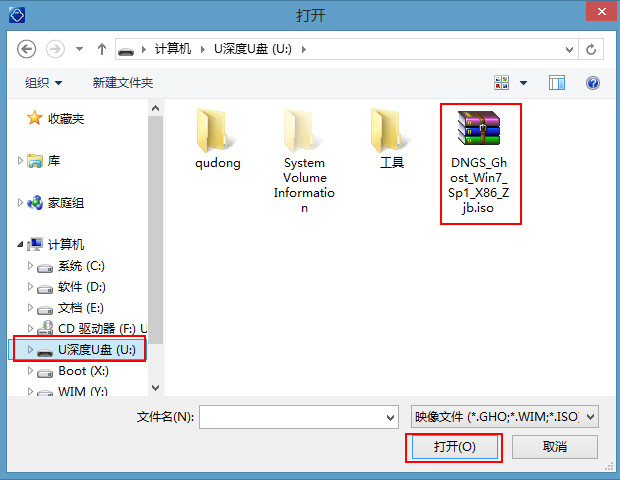
Downloading of win 7 32 iso files, approximately 2gb size, at the microsoft official or regular mirror. After downloading, place iso directly in the ucd directory without having to depress. The subsequent installed tool in the pe allows direct access to install. Wim files inside iso, identifying the installation package for a valid system and saving the mount steps。
Set bios to start from disk
The flash drive is plugged in to the left of the tristar internet book at the u. S. B., and is set to enter the bios at f2. Some batches can be called from the quick start menu by esc. Cuts to the boot tab after entering the bios, and you use the arrow key to find boot device priority。
Drag usb hard disk to the top and bottom of the startup order, save and exit by press f10. Re-start the screen with the u depth main menu and select the "running u depth win8pe installer maintenance edition" key. Press back to confirm and the computer starts loading the pe system, waiting for the desktop to appear。
Enter pe select system file
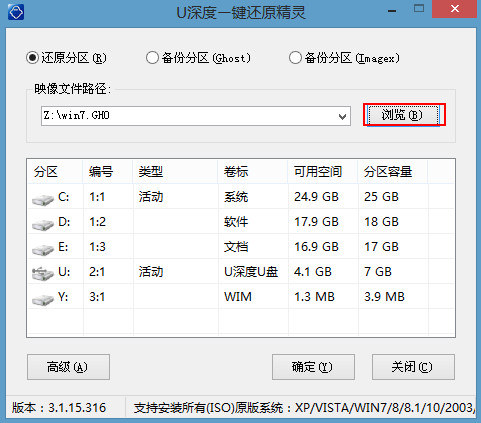
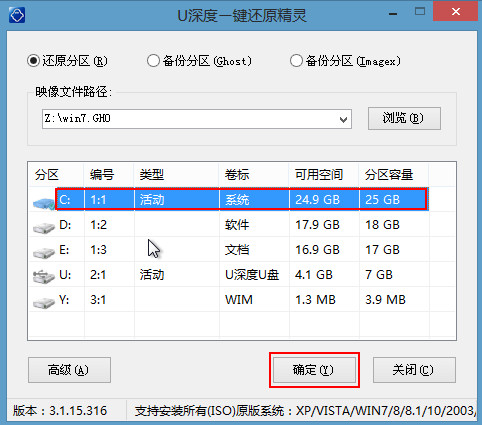
Once the pe desktop is loaded, the u-deep loader tool will automatically pop up a window. There's a browsing button on the right side of the interface, no default c path, manual point "browsing" to the win7 iso file in the drive, selecting the back point "open" and the tool automatically starts to analyze the internal mirror structure。
Displays the total size of the system's version, structure and file below when the resolution is completed. Most of the tristar internet processors are intel atom or early i3 and 32-bit versions are required to properly identify all hardware. Make sure you show "x86" or "32-bit" in the bottom right corner。
Select disk partition and confirm
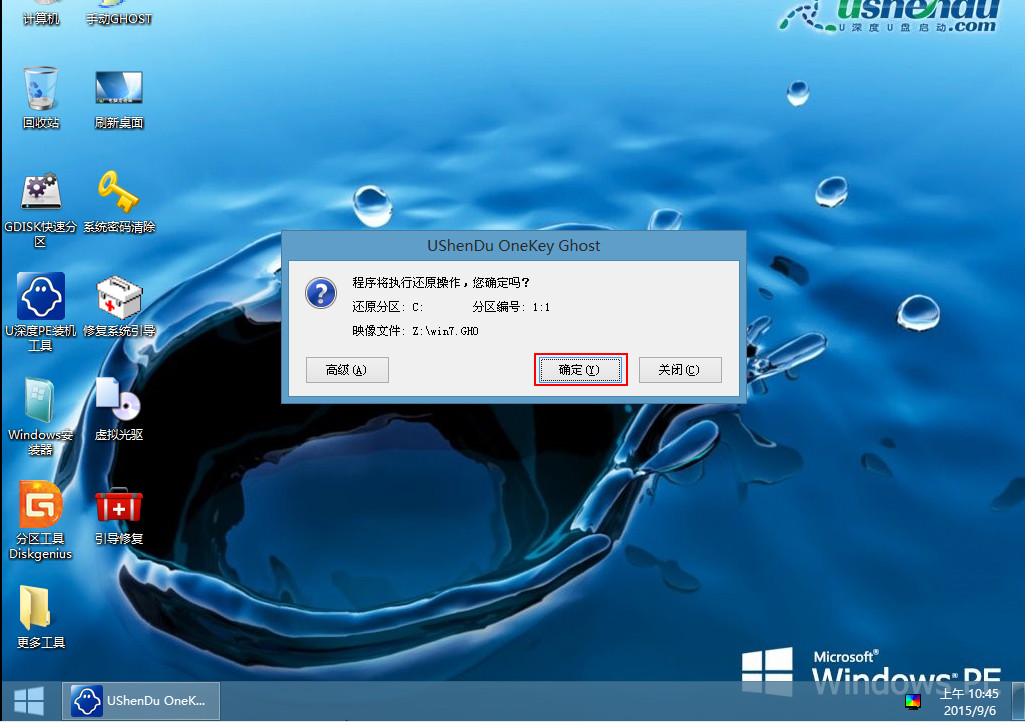
The installed tool lists all physical disks and logical partitions. The three-star internet version is typically equipped with 120 gb or 240 gb mechanical hard disks, the capacity of which is shown between 100 gb and 220 gb. Select the c-disk or the maximum-capacity main partition, tick the "formatization" option, point " ok" to start writing system files to that partition。
The warning box "this operation will clear all data of the selected partition" after the point is determined, confirming that the correct partition is "determined". The tool then began to write to the win7 file, with three-star mechanical disks having a low speed of about 15 to 20 per cent per minute and a full three to five minutes without moving the computer。
Waiting for installation to complete and restart
Shows progress bars and percentages slowly from 0% to 100% on the writing stage screen. Don't do anything for a few minutes, don't cover it, don't press the power button, don't pull the flash drive. The three-star online book is normal for four to six minutes because of mechanical hard drive speed limits, and just wait patiently。
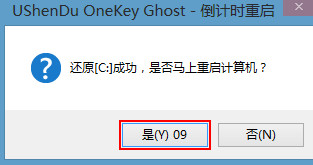
Progress to 100% after window hint "build up, whether to restart the computer immediately" at point (y), when you can safely pull out the disk. After restarting, enters the windows setup phase, the black screen flashes and re-starts again in the middle, and the system is backstage copy drive for initial configuration。
First entry to desktop and driver patch
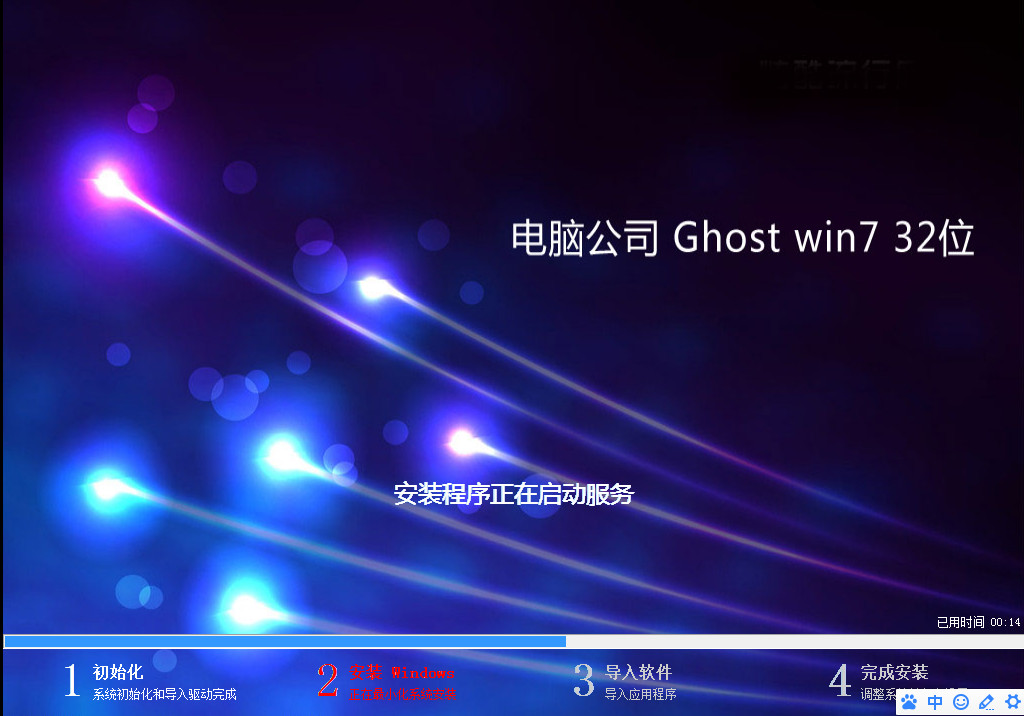
After restarting, the samsung logo is activated, followed by a black screen waiting, with the possibility of re-opening the screen again, for the first time for about eight to ten minutes. Wait for the desktop to come out and log in the interface to the system. Take it easy on the desktop. Right-click "computer" on "device manager"。
The device manager will see if there is any hardware with a yellow exclamation mark, a common three-star internet version of the mds card and a wifi driver. Go to the samsung network of officials and enter the body type download drive installation. In terms of system activation, it is automatically completed when connected to wifi or mobile hotspots, and the key is manually lost without connection。
Do you still have win 7 32 on the tristar? Are you going to do this on your own or just change a new machine? The comment section talks about your options, and if you think they're useful, send them to your friends who're still holding an old office。