In the photoshop, the price symbol can be used by means of shortcut keys or by inserting special characters。
1. Enter price symbols using shortcut keys:
Most input methods support shortcuts to enter common symbols, including price symbols. For example, in the case of chinese input, the user can enter the initial "rmb" of the spelling of the rmb directly and then select the corresponding symbol from the candidate. For the dollar symbol " $ " , there is no need for a special shortcut key to press the key directly。
2. Add price symbols by inserting special characters:

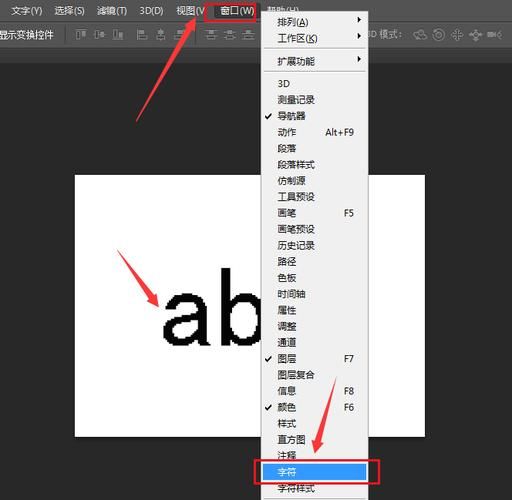
In ps, you can also add price symbols by inserting special characters. Specific steps are: select the character panel or search bar in the text tool state, search for price symbols, and then select and insert from the result into the text. This applies to cases where a specific symbol is to be inserted, but the shortcut key is uncertain。
3. Select the appropriate price symbol fonts and styles according to the design needs:
When editing text in ps, the font, size and style of the price symbol can be adjusted according to the design needs. For example, for commodity prices, visible currency symbols and bold figures could be used to highlight them; for amounts in contracts or statements, more formal fonts and layouts might be needed. By adjusting these attributes, price symbols can be reconciled with the overall design。
In general, the price symbol is relatively simple in the photoshop and can be achieved by shortcut keys or by inserting special characters. In the course of use, the fonts, sizes and styles of price symbols can also be adapted to the design needs to align them with the overall design。